> ## Documentation Index
> Fetch the complete documentation index at: https://docs.getuserkit.com/llms.txt
> Use this file to discover all available pages before exploring further.
# Mic & Camera Usage Description
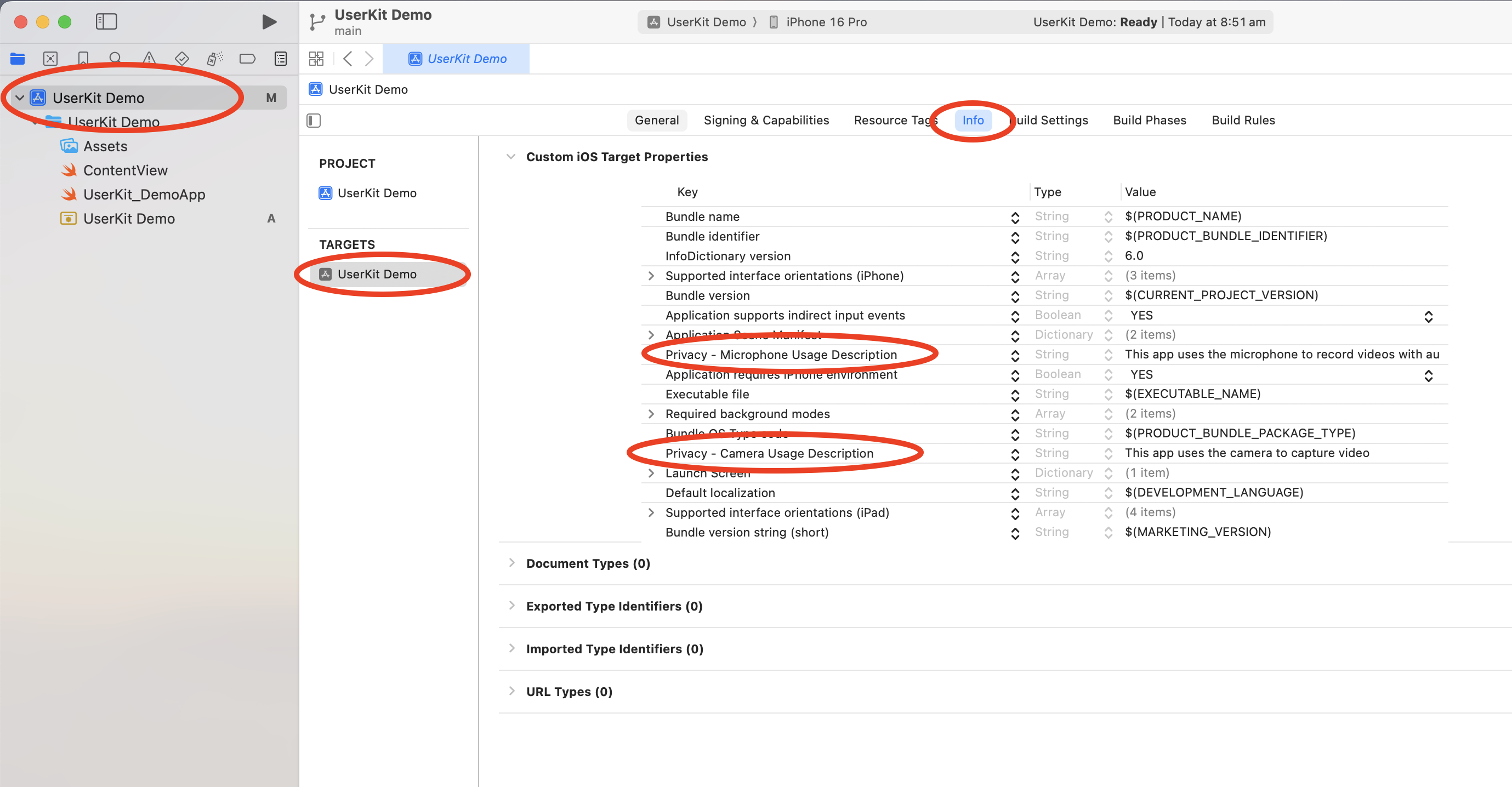
In **Xcode**, select your **project file** in the navigator, then select your **target** and click the **Info** tab
Add a row to the **Info.plist** setting the key to **NSCameraUsageDescription** and the value to something like: `This app uses the camera for video calls.`
Do the same again but this time for the **NSMicrophoneUsageDescription** key with a value like: `This app uses the microphone for video calls.`
 Setup complete! Now let's add UserKit to your code.